

The Minimal MacBook
I had fun bringing an obsolete MacBook Pro back to life as a fast and productive computer by adopting a Minimal MacBook Philosophy.
The Minimal MacBook Philosophy
- Accept older macOS as a stable Unix-like platform
- Embrace the terminal
- Use one browser for everything
- No other apps, no iCloud, and no App Store
Why a Minimal MacBook?
I have a 2016 MacBook Pro 13” that’s in great condition. But as a 10 year old Intel device, it’s considered obsolete by Apple, and does not receive updates or OS upgrades. Software support is fading away too.
I thought about giving it a new life by wiping the drive and installing Linux. But this particular MacBook is not Linux-friendly. There are critical drivers missing for Wi-Fi and suspend/resume, and support for audio and the Touch Bar is spotty at best.
The incredible OpenPatcher project was another option, as it does a great job of keeping old Macs up-to-date. It actually worked, and I was able to bring the MacBook forward to a recent macOS. However, years of accumulated crud on the MacBook, along with generally higher system requirements from the new macOS, made the result sluggish and power hungry.
Without a Linux option or a stable upgrade path, I decided to start fresh using what I have, and go native yet totally minimal: Without the overhead of any cloud services, latest OS, or new bloated desktop apps, what’s stopping an old MacBook from working at its top performance? Nothing!
Want to try it yourself? Here are the steps I took to create my Minimal MacBook:
Setting Up a Minimal MacBook
Install a Clean macOS
I wiped the laptop completely and installed the last compatible macOS, which for my MacBook is macOS 12 Monterey.
Critical Step: I did not activate or sign in with iCloud, and did not sign in to the Mac App Store.
The macOS installer insists on signing in to both, but thankfully they can be skipped. I was shocked to see how fast and responsive the Mac was without iCloud or App Store active. There was very little network traffic, and with no cloud data or apps to index, Spotlight indexed quickly.
Install MacPorts With Terminal.app
Since macOS is Unix-like, you have access to a world of stable, mature software for the command line. And you don’t even need to install a new terminal application. The included Terminal.app is extremely fast, super power efficient, and has plenty of options for customization.
Since the philosophy is to embrace the terminal instead of installing desktop apps, I needed a package manager to install command line software.
Homebrew is the most common Mac package manager, but it doesn’t support old macOS versions.
MacPorts, on the other hand, is one of the original Mac package managers, and actively supports old Macs. It had most everything I wanted, and where it didn’t, it had alternatives (like albafetch instead of neofetch, and gnu-go instead of ncdu).
After installing several software packages, finding a nice OneDark theme, and installing the FiraCode Nerd Font, I was all set with Terminal.app.
If you’re new to the terminal and the command line, it can be an imposing environment. But once you get used to the keyboard incantations of powerful tools like vim and tmux, you’ll be amazed at how fast and productive you can be. And when you explore the ecosystem of software and tools, you’ll build a personalized workspace that you’ll likely never leave.
Install Firefox
While Safari on Monterey is still a pretty decent browser, it obviously doesn’t have some of the latest browser features, and critically, doesn’t support extensions outside of the App Store.
Firefox is perfectly up-to-date on Monterey, is battery-life friendly, and supports countless extensions.
Since much of the app economy lives on the web these days, a browser gives you access to nearly any app or service you need without having to install any desktop apps at all. I can even access iCloud in the browser.
If you can’t do what you need in the terminal, you can surely do it in the browser.
Result
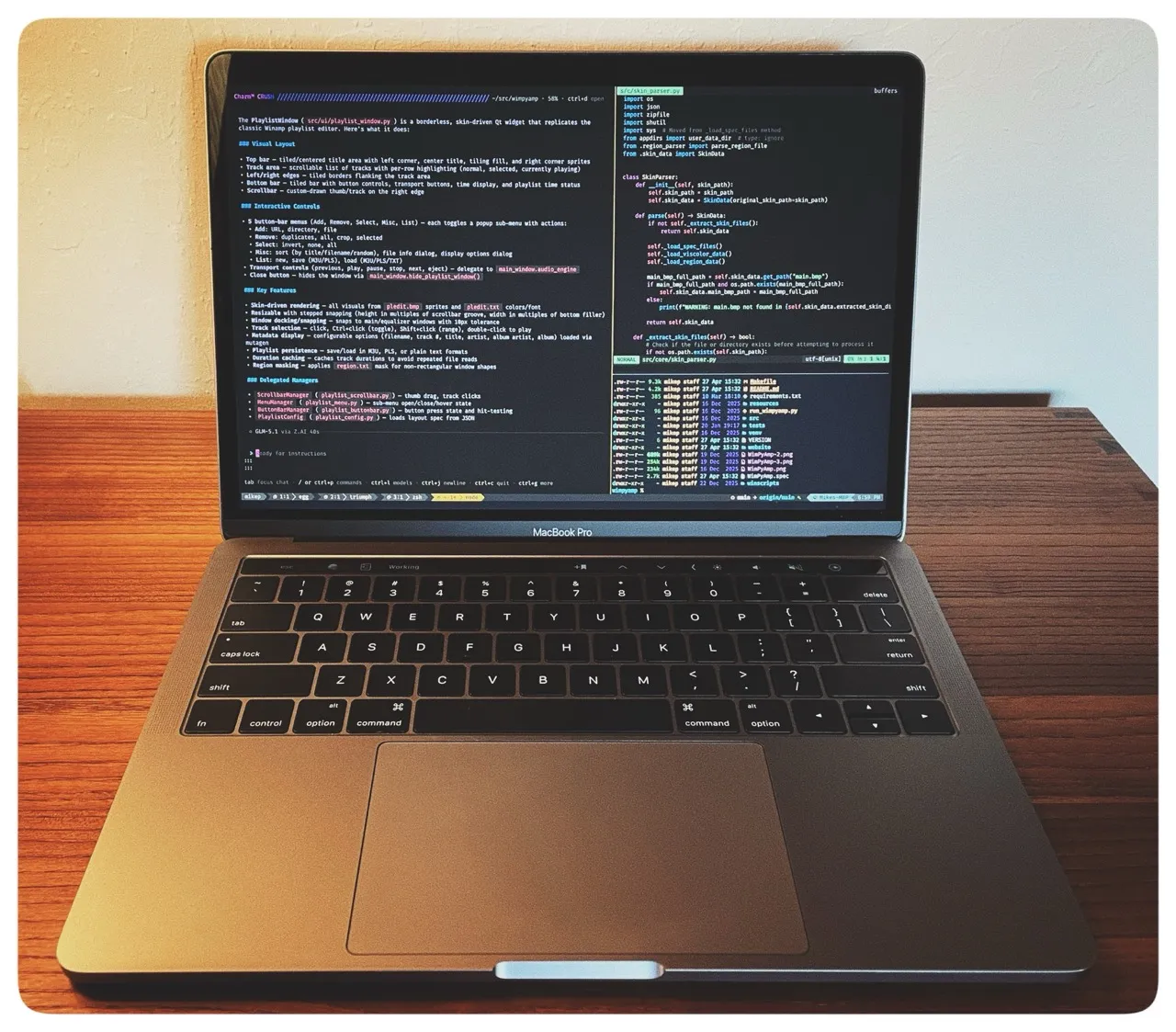
I spend most of my time in a full screen terminal, usually with tmux sessions, and swipe back and forth between a full screen Firefox.
The result is that I have a full-featured terminal-based laptop, similar in many ways to the trend of TUI-based Linux setups like Omarchy. It’s honestly a joy to “live” in a modern terminal-first environment, where it’s easy to stay focused in a distraction-free setup of your own customization.
With just Firefox and Terminal.app, the old MacBook Pro runs for hours with active use, and never stalls or chugs. It actually seems to run faster than when it was new.
What about file sync? Most of what I need is synced via git, but I also use Syncthing on my other systems. Syncthing installs seamlessly via MacPorts, runs in the background with no noticeable overhead, and gives me a straightforward way to move files to and from the MacBook.
What don’t I like? The 2016 MacBook Pro has the notorious butterfly keyboard, and there’s nothing I can do to make it suck less. But I’m mostly used to it. That said, I was surprised to see how much I used the Touch Bar in Terminal.app. The Touch Bar is genuinely useful, and makes me wish for something like it in new MacBooks.
How long will it last? Eventually, some critical software will abandon x86 macOS, and updates will stop happening. At that point, if there still isn’t Linux support, the MacBook Pro 2016 will hit the end of the line. But the lessons are still valid: a Minimal MacBook is a fast, useful, and productive machine.
Consider a Minimal MacBook
If you can’t or don’t want to install Linux, the Minimal MacBook is the best way to keep an old MacBook alive. And if you want the same philosophy in something new, you could easily replicate this setup today with a $600 MacBook neo.